
Update Shipping Address - SubscriptionUpdated 8 months ago
Having trouble accessing your account? Click here to create one.
You can quickly and easily update your shipping address from your account dashboard.
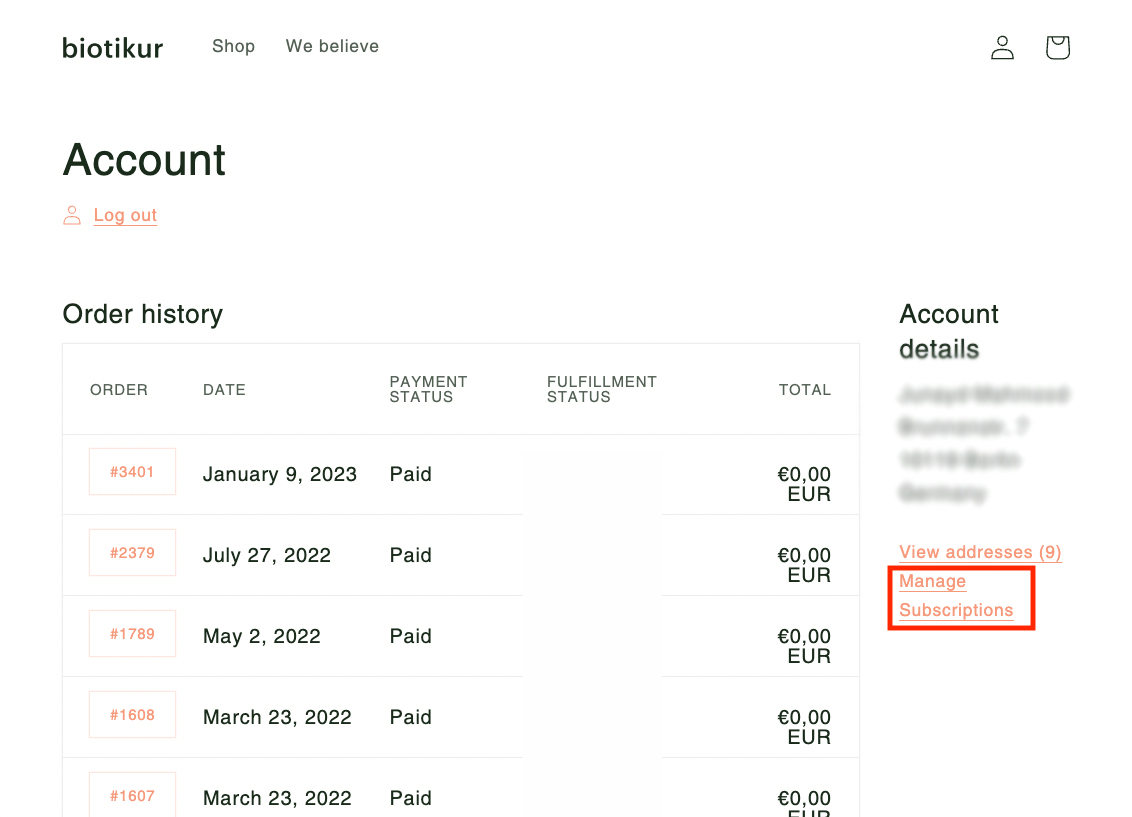
Once you've signed into your account, click on "Manage Subscriptions" under "Account Details"
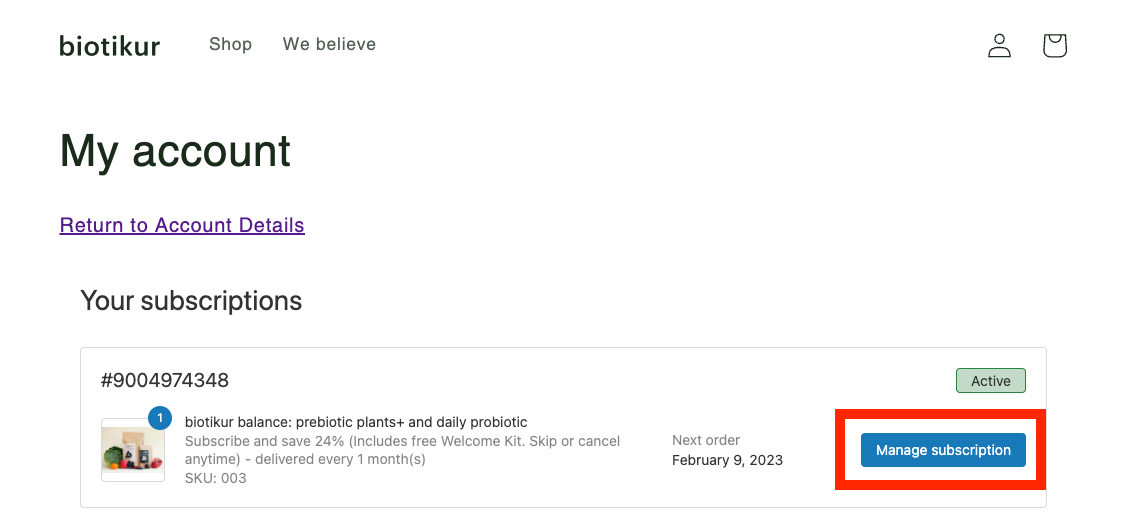
Find the relevant subscription and click "Manage subscription"
Then click on the button "Change" inside the box that says "Shipping address" on the right side.

If you have any further questions, please contact us at [email protected].